Best Smart Door Sensor for Renters
Finding a smart door sensor that doesn't require drilling, permanent wiring, or complex hub setups is key for renters. We've analyzed the top no-drill, peel-and-stick models based on reliability, battery life, and app integration to help you secure your apartment without risking your deposit.
Quick answer
The Ring Alarm Contact Sensor (2nd Gen) is the best overall for renters due to its ultra-compact design, peel-and-stick adhesive, and long battery life. For a budget-friendly, hub-free option, the SwitchBot Contact Sensor offers a simple standalone mode with a loud local alarm.
Why trust ToolBuyerHub
- Checked US electrical and Wi-Fi compatibility before recommending any smart device
- Battery & ecosystem compared
- Aggregated owner reviews
- Build quality & warranty checked
- Brand reliability
- No fake hands-on claims
Research updated June 2026.
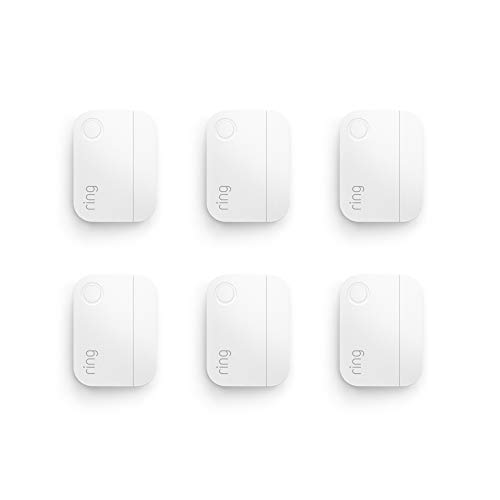
Ring Alarm Contact Sensor (2nd Gen)
Compact, reliable, and integrates seamlessly with the Ring ecosystem.
| Product | Best For | Key Spec | Rating | Price |
|---|---|---|---|---|
| Ring Alarm Contact Sensor (2nd Gen) | Overall reliability | 3-year battery life | 4.6 / 5 | Check Amazon |
| SwitchBot Contact Sensor | Budget standalone | Local alarm + app | 4.4 / 5 | Check Amazon |
| Aqara Door and Window Sensor P2 | Matter/Thread support | Matter over Thread | 4.3 / 5 | Check Amazon |
| Eve Door & Window Sensor | Apple HomeKit | Thread + HomeKit | 4.5 / 5 | Check Amazon |
| Wyze Contact Sensor | Lowest cost ecosystem | Works with Wyze Cam | 4.2 / 5 | Check Amazon |
Ring Alarm Contact Sensor (2nd Gen)
Best Overall for RentersPros
- Ultra-compact design fits tight door frames
- Advertised 3-year battery life
- Reliable Ring ecosystem with optional monitoring
Cons
- Requires Ring Alarm hub
- No standalone local alarm
The Ring Alarm Contact Sensor (2nd Gen) is a favorite among renters for its minimalist size and strong adhesive mount that leaves no residue when removed. It communicates wirelessly with the Ring Alarm base station, providing real-time open/close alerts directly to your phone. Owner reviews consistently praise the sensor's responsiveness and the peace of mind from the optional 24/7 professional monitoring plan.
Battery life is a standout feature, with Ring claiming up to three years on a single CR2032 coin cell. The sensor also supports the Ring Chime, allowing you to hear a doorbell-like sound when the door opens. The main drawback is the need for the Ring Alarm hub, which is an additional upfront cost, but the ecosystem is one of the most popular for renters.
SwitchBot Contact Sensor
Best Budget StandalonePros
- Works as a standalone alarm without a hub
- Loud built-in siren (up to 100 dB)
- Compatible with SwitchBot ecosystem
Cons
- Bluetooth range is limited
- App can be slow to update status
The SwitchBot Contact Sensor is a fantastic choice for renters who want a simple, affordable solution without committing to a hub. It features a loud local alarm that triggers when the door opens, making it a great deterrent. When paired with the SwitchBot Hub Mini, it gains remote notifications and can trigger other SwitchBot devices like smart plugs or locks.
Owner reviews highlight the ease of setup and the strong adhesive that holds firmly to painted surfaces. The battery life is solid, with the larger CR2477 cell lasting over a year. The main trade-off is the reliance on Bluetooth for direct phone connection, which limits range compared to Wi-Fi or Z-Wave sensors.
Aqara Door and Window Sensor P2
Best for Matter/ThreadPros
- Native Matter over Thread support
- Works with Apple Home, Alexa, Google
- Compact and low-profile
Cons
- Requires a Matter-compatible hub
- Setup can be finicky with some routers
The Aqara P2 is a future-proof sensor that uses the Matter smart home standard over Thread, ensuring broad compatibility with major platforms. Its small size and white finish blend into most door frames without being obtrusive. Owner reviews note that once connected, the sensor is very responsive and rarely drops offline.
Battery life is rated at up to 2 years, and the adhesive is strong yet leaves no sticky residue when removed. The main requirement is a Thread border router, which many newer Apple HomePods and Amazon Echos include. For renters building a multi-platform smart home, this is the most flexible option.
Eve Door & Window Sensor
Best for Apple HomeKitPros
- Native Thread for fast, reliable connection
- Privacy-focused with no cloud dependency
- Works directly with Apple Home automations
Cons
- Requires Apple Home Hub for remote access
- Higher price point
The Eve Door & Window Sensor is the premier choice for Apple users. It uses Thread technology for a direct, low-latency connection to your Apple Home Hub, ensuring instant notifications and automations. The sensor is completely privacy-focused, with all data processed locally on your home hub, not in the cloud.
Owner reviews are very positive about its build quality and the responsiveness of the HomeKit integration. The adhesive is strong, and the sensor is IPX5 water-resistant, making it suitable for exterior doors. The main downside is the premium price and the requirement for an Apple TV, HomePod, or iPad as a home hub.
Wyze Contact Sensor
Best Low-Cost EcosystemPros
- Very low entry price for the sensor
- Works with Wyze Cam and other Wyze devices
- Compact and easy to install
Cons
- Requires Wyze Sense Hub
- Battery life shorter than competitors
The Wyze Contact Sensor is the most affordable way to enter a smart home ecosystem. It pairs with the Wyze Sense Hub and can trigger Wyze Cameras to start recording when a door opens, creating a powerful security setup for a very low cost. Owner reviews appreciate the value and the tight integration with the Wyze app.
Battery life is rated at around 1 year, which is shorter than the Ring or Aqara sensors, but the low replacement cost of CR2032 batteries mitigates this. The adhesive is strong, and the sensor is very small. The main limitation is the need for the Wyze Sense Hub, but if you already own Wyze cameras, this is a no-brainer.
What to check before buying a smart door sensor as a renter
Before purchasing, verify that the sensor uses a peel-and-stick adhesive rather than screws. Most models include a strong 3M adhesive pad that can be removed without damaging paint or woodwork. Also, check the gap tolerance of the sensor. Some sensors require the magnet and sensor to be very close (within 1/4 inch), while others can tolerate a larger gap, which is important for older, slightly misaligned doors.
Consider the ecosystem. If you already have a smart home hub like Amazon Echo or Apple HomePod, look for sensors that natively support Matter, Thread, or Z-Wave to avoid buying a separate hub. Finally, check the battery type and expected life. Sensors using CR2032 batteries are the most common and cheap to replace, but some models use less common CR2477 cells.
Mistakes to avoid when choosing a smart door sensor
A common mistake is buying a sensor that requires a hub you do not own and are not willing to buy. Always read the product description carefully to see if a hub is required or if the sensor can operate in a standalone mode. Another mistake is ignoring the weather rating. If you plan to use the sensor on an exterior door, look for an IP rating (like IPX5) to ensure it can handle rain and humidity.
Do not assume all sensors are the same size. Some are quite bulky and may not fit on narrow door frames or metal doors. Measure the available space on your door frame before buying. Finally, avoid sensors that rely solely on Bluetooth without a hub, as the range is very limited and notifications may be delayed when you are away from home.
FAQs
Do smart door sensors damage paint or door frames?
Most use a strong 3M adhesive that is designed to be removable without leaving residue, but it is always best to test on a small area first.
Can I use a smart door sensor without a hub?
Yes, some models like the SwitchBot Contact Sensor can work in standalone mode with a local alarm, but most require a hub for remote notifications.
What is the difference between a contact sensor and a motion sensor?
A contact sensor detects if a door or window is open or closed, while a motion sensor detects movement within a room.
How long do smart door sensor batteries last?
Battery life varies from 1 to 3 years depending on the model and how often the door is opened. The Ring sensor claims up to 3 years.
Can I connect a smart door sensor to my existing alarm system?
Only if your alarm system supports Z-Wave, Zigbee, or Matter sensors. Most traditional wired alarm systems are not compatible.
What is a Matter smart door sensor?
Matter is a new smart home standard that ensures compatibility across platforms like Apple Home, Google Home, and Amazon Alexa.
Do I need a subscription for a smart door sensor?
No, basic notifications are usually free. Some brands like Ring offer optional paid monitoring services for additional features.
Can a smart door sensor trigger a camera?
Yes, many sensors can be set up to trigger a compatible smart camera to start recording when the door opens.
Are smart door sensors waterproof?
Most are not fully waterproof but may have an IPX5 rating, meaning they can handle rain. Check the specs before mounting on an exterior door.
What is the best smart door sensor for a metal door?
Metal doors can interfere with wireless signals. A sensor using Thread or a wired connection is often more reliable than Bluetooth.
Our verdict
For the best all-around experience, the Ring Alarm Contact Sensor (2nd Gen) is our top pick for its reliability, compact size, and long battery life. If you are on a tight budget and want a standalone alarm, the SwitchBot Contact Sensor offers the best value without needing a hub.