Best Smart Locks for Airbnb Hosts
A smart lock can turn a self check-in Airbnb into a smoother operation, letting you issue and revoke access codes remotely instead of handing over keys or hiding a lockbox. The right pick depends on how your listing is set up, whether you have a deadbolt already, whether you want Wi-Fi built in, and how often you need to give out temporary codes.
Quick answer
The Schlage Encode Smart Wi-Fi Deadbolt is the best overall pick for most Airbnb hosts because it combines built-in Wi-Fi, easy code management, and a well-known residential lock brand.
Why trust ToolBuyerHub
- Cross-checked manufacturer-published specifications before writing any recommendation
- Verified US market availability and configuration for every model discussed
- Owner-feedback themes are summarized as feedback, never presented as our own hands-on testing
- No invented star ratings; see the visible Research Score criteria on this page
- Checked specifications against manufacturer documentation before publishing
- We focus on locks with real remote code management, because that is the feature Airbnb hosts use most, and we flag models that need a separate hub or bridge.
Research updated September 2026.
What Matters Most for This Category
For most hosts, the biggest factors are remote code management, whether Wi-Fi is built in or needs a hub, and how the lock fits your existing door. Built-in Wi-Fi means you can add or delete guest codes from your phone without extra hardware, while hub-based locks can be cheaper but add a device to manage. Also check your door's backset and cross bore, since most smart deadbolts are designed to replace a standard single-cylinder deadbolt. If you rent a room rather than a whole unit, a keypad lever lock may fit better than a deadbolt.
| Model | Best for | Key specs | Research Score |
|---|---|---|---|
| Schlage Encode Smart Wi-Fi Deadbolt | Best Overall | Built-in Wi-Fi, Keypad and app | 94/100 |
| August Smart Lock Pro (4th Gen) | Best for Renters | Wi-Fi via included bridge, App and auto-unlock | 91/100 |
| Yale Assure Lock 2 with Wi-Fi | Best Keypad Design | Built-in Wi-Fi on Wi-Fi model, Touchscreen keypad and app | 90/100 |
| Kwikset Halo Touch Fingerprint Deadbolt | Best for Repeat Guests | Built-in Wi-Fi, Fingerprint, keypad, app | 88/100 |
| Ultraloq U-Bolt Pro Wi-Fi | Best Value | Built-in Wi-Fi, Fingerprint, keypad, app, key | 86/100 |
| Level Lock Plus | Best Hidden Design | Wi-Fi via included bridge, App and key card | 84/100 |
| Sifely Keyless Entry Door Lock | Best Budget | Bluetooth, Wi-Fi with optional gateway, Keypad, app, fingerprint on some models | 80/100 |
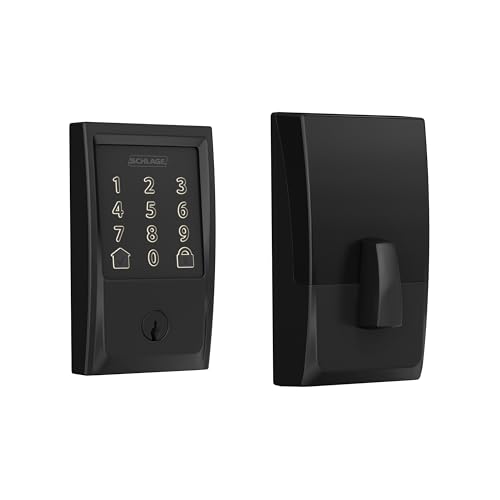
Schlage Encode Smart Wi-Fi Deadbolt
Top pickPros
- Built-in Wi-Fi means no separate hub
- Well-known residential lock brand
- Supports many guest codes with schedules
Cons
- Higher upfront cost than hub-based locks
- Bulkier interior than some alternatives
This is one of the most straightforward smart deadbolts for hosts because Wi-Fi is built in, so you can manage codes from the Schlage Home app without buying a bridge. It fits standard residential doors and includes a key override for backup. Based on manufacturer specifications, it is rated for residential use and works with common smart home platforms.

August Smart Lock Pro (4th Gen)
Retrofit friendlyPros
- Installs over your existing deadbolt
- Keeps your current keys working
- Auto-unlock works well for repeat guests
Cons
- Needs the included Connect bridge for remote access
- No keypad on the lock itself
The August Smart Lock Pro replaces only the interior side of your deadbolt, so the exterior hardware and key stay the same, which is useful if you rent or have a distinctive door. The included Connect bridge adds Wi-Fi for remote code and access management. It pairs well with the optional August keypad if you want code entry.

Yale Assure Lock 2 with Wi-Fi
Sleek keypadPros
- Clean touchscreen keypad
- Built-in Wi-Fi on the Wi-Fi version
- Works with major smart home platforms
Cons
- Model lineup can be confusing
- Some versions need a module for Wi-Fi
Yale's Assure Lock 2 comes in several versions, and the Wi-Fi model gives you remote code management without a separate bridge. The touchscreen keypad is easy for guests to use, and the lock works with common smart home ecosystems. Check the specific listing to confirm you are getting the Wi-Fi version.

Kwikset Halo Touch Fingerprint Deadbolt
Fingerprint entryPros
- Fingerprint entry for frequent guests
- Built-in Wi-Fi
- Keypad backup for one-time codes
Cons
- Fingerprint enrollment takes a few steps
- Higher price than basic keypad locks
The Halo Touch adds a fingerprint reader on top of a keypad and app control, which can be handy for cleaners or returning guests. Wi-Fi is built in, so you can manage access remotely. It fits standard deadbolt openings and includes a key override.
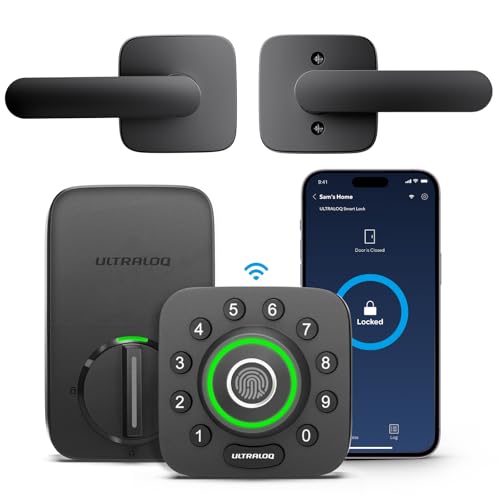
Ultraloq U-Bolt Pro Wi-Fi
Feature richPros
- Multiple entry methods in one lock
- Built-in Wi-Fi
- Competitive price for the feature set
Cons
- Brand less established than legacy lock makers
- App experience varies by user
The U-Bolt Pro Wi-Fi packs fingerprint, keypad, app, and key access into one deadbolt, which gives hosts several ways to let guests in. Wi-Fi is built in, so remote code management does not need a hub. It is often priced below comparable locks from legacy brands.

Level Lock Plus
DiscreetPros
- Looks like a standard deadbolt
- Keeps your existing exterior hardware
- Quiet motor
Cons
- No keypad on the lock
- Needs the bridge for remote access
The Level Lock Plus hides the smart hardware inside the door, so the exterior looks like a normal deadbolt. It retrofits your existing deadbolt and keeps your current key working. The included bridge adds Wi-Fi for remote management, though there is no keypad for code entry.
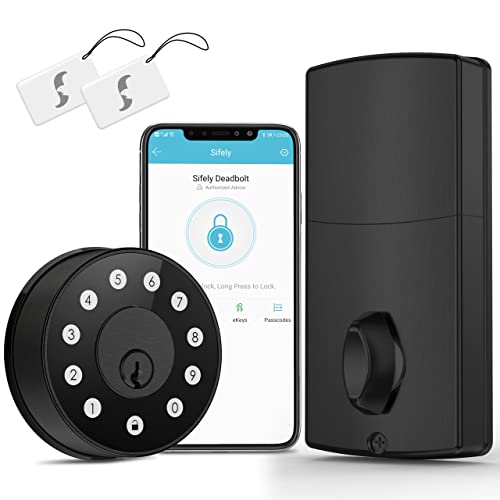
Sifely Keyless Entry Door Lock
Low costPros
- Low upfront price
- Keypad entry for guests
- Fingerprint option on some versions
Cons
- Remote access needs a separate gateway
- Brand support less established
Sifely offers keypad and app entry at a budget price, which can work for a host who wants basic code access without spending much. Remote management generally requires the optional Wi-Fi gateway. Check the specific model, since features vary across the lineup.
Who Should Avoid the Top Pick
Skip any smart lock that cannot issue temporary or scheduled codes, since that is the core feature hosts need. Also avoid locks that require a proprietary hub you cannot easily replace, and be cautious with no-name listings that have no clear US support or warranty. If your door has an unusual backset or a non-standard deadbolt, measure before buying rather than assuming a retrofit will fit.
Before You Buy
Measure your door's backset and cross bore, and confirm whether you have a single-cylinder deadbolt that a smart lock can replace. Decide whether you want built-in Wi-Fi or are fine with a hub or bridge. Check that the lock supports the number of codes and schedules you need, and confirm there is a key override or another backup in case batteries die. Finally, verify the lock works with the smart home app or platform you already use.
FAQs
Do I need Wi-Fi on my smart lock for Airbnb?
Not strictly, but built-in Wi-Fi or a bridge makes it much easier to add and remove guest codes remotely. Without it, you may need to be within Bluetooth range to manage access.
Can I give each guest a different code?
Yes, most smart locks for hosts support multiple user codes, and many let you set schedules so a code only works during the stay.
What happens if the batteries die?
Most smart deadbolts include a physical key override or a jump-start option. Check the specific model, and keep a backup plan for guests.
Will a smart lock fit my existing door?
Most replace a standard single-cylinder deadbolt, but backsets and door prep vary. Measure your door and compare to the lock's specifications before buying.
Are smart locks allowed for short-term rentals?
Rules vary by building and local regulations, so check your lease, HOA, or local short-term rental rules before installing one.
Do I need a hub for remote access?
Some locks have Wi-Fi built in, while others need a bridge or hub. Check the listing carefully, since the same model line may have both versions.
Our verdict
For most Airbnb hosts, the Schlage Encode Smart Wi-Fi Deadbolt is the easiest recommendation because it combines built-in Wi-Fi, reliable code management, and a familiar residential brand. If you rent or cannot change the exterior door hardware, the August Smart Lock Pro is a strong alternative. Budget-minded hosts can look at the Sifely option, but should plan for the extra gateway if they want remote access.