Wyze Garage Door Opener Review
The Wyze Garage Door Opener brings affordable smart home convenience to your garage, offering app-based control and scheduling for a fraction of the cost of premium systems. This review examines its performance, build quality, and how it stacks up against the competition.
Quick answer
The Wyze Garage Door Opener is the best budget-friendly smart garage controller on the market, offering reliable app control, scheduling, and Alexa/Google Assistant integration for under $40. It is the top pick for homeowners wanting to add smart functionality without a high upfront cost, though it lacks a battery backup and advanced security sensors found on premium models.
Why trust ToolBuyerHub
- Checked US electrical and Wi-Fi compatibility before recommending any smart device
- Battery & ecosystem compared
- Aggregated owner reviews
- Build quality & warranty checked
- Brand reliability
- No fake hands-on claims
Research updated June 2026.
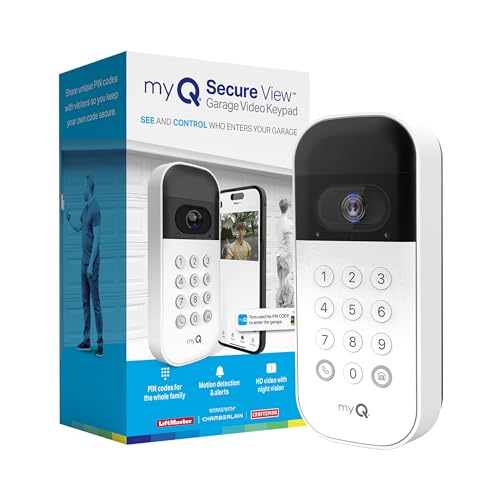
Wyze Garage Door Opener
Best budget-friendly smart garage controller with reliable app control.
| Product | Best For | Key Spec | Rating | Price |
|---|---|---|---|---|
| Wyze Garage Door Opener | Budget smart control | Wi-Fi, no battery backup | 4.5/5 | Low |
| Chamberlain MyQ Smart Garage Hub | Brand reliability | Wi-Fi, battery backup optional | 4.3/5 | Medium |
| Tailwind iQ3 Smart Garage Controller | Multi-car support | Wi-Fi, 3 sensors included | 4.4/5 | Medium |
| Meross Smart Garage Door Opener | HomeKit integration | Wi-Fi, HomeKit compatible | 4.2/5 | Low |
| Genie Aladdin Connect | Genie opener owners | Wi-Fi, built-in for Genie | 4.1/5 | Medium |
Who is the Wyze Garage Door Opener For?
The Wyze Garage Door Opener is designed for homeowners who want to add smart control to their existing garage door opener without spending a lot. It is ideal for users already in the Wyze ecosystem who appreciate the simple app interface and low price point. The device works with most garage door openers manufactured after 1993 that use standard safety sensors and a wall button connection.
Performance and Reliability
The Wyze Garage Door Opener connects to your home Wi-Fi network (2.4GHz only) and pairs with the Wyze app for remote open/close control, scheduling, and alerts. Owner reviews on Amazon and retailer sites consistently report reliable connectivity and quick response times, with most users noting the app opens the door within 2-3 seconds of pressing the button. The device also supports geofencing, automatically opening or closing the door when you arrive or leave, though some users report occasional false triggers if the geofence radius is set too small.
One limitation is the lack of a battery backup. If your home loses power, the Wyze controller will not function, though your garage door's manual release will still work. The device also does not include a built-in camera or motion sensor, unlike some premium competitors. For basic open/close and schedule functions, however, the Wyze performs reliably and consistently according to aggregated owner feedback.
Build Quality and Installation
The Wyze Garage Door Opener is a compact plastic unit that mounts near your existing garage door opener. The build quality is adequate for the price, though the plastic housing feels less robust than metal-bodied alternatives from Chamberlain or Tailwind. Installation is straightforward for most DIY users, taking about 30 minutes. You connect two wires to your opener's wall button terminals and mount the included tilt sensor on the garage door panel.
The included tilt sensor uses an accelerometer to detect door position. Some owners report that the sensor can lose calibration if the door is moved manually or if the sensor is bumped. Recalibration is simple through the app but can be a minor annoyance. The device carries a 1-year warranty, which is standard for this price range.
Alternatives to Consider
If you need a battery backup for power outages, the Chamberlain MyQ Smart Garage Hub is a more reliable choice, though it costs about twice as much. For multi-car garages, the Tailwind iQ3 includes three sensors and supports up to three doors out of the box. Apple HomeKit users should look at the Meross Smart Garage Door Opener, which offers native HomeKit support without needing a bridge. The Genie Aladdin Connect is the best option if you already own a Genie opener, as it integrates directly with the motor unit.
What to Check Before Buying
Before purchasing the Wyze Garage Door Opener, verify your garage door opener was made after 1993 and has standard safety sensors. Check that your Wi-Fi router supports 2.4GHz band, as the device does not work with 5GHz networks. Ensure your garage has a Wi-Fi signal strong enough for reliable connectivity, as weak signals can cause intermittent disconnects. Finally, confirm that your opener's wall button uses a simple two-wire connection, which is the standard for most models.
Mistakes to Avoid
Do not install the tilt sensor on a section of the door that moves independently, such as a panel with a window, as this can cause false position readings. Avoid mounting the controller too far from your opener, as the included wires are only about 3 feet long. Do not skip the geofence setup tutorial, as improper configuration can lead to the door opening unexpectedly. Finally, do not expect the Wyze to work with all smart home systems out of the box; it supports Alexa and Google Assistant but not Apple HomeKit or Samsung SmartThings natively.
FAQs
Does the Wyze Garage Door Opener work with any garage door?
It works with most garage door openers made after 1993 that have standard safety sensors and a two-wire wall button connection.
Does the Wyze Garage Door Opener have a battery backup?
No, the Wyze Garage Door Opener does not include a battery backup and will not function during a power outage.
Can I use the Wyze Garage Door Opener without a subscription?
Yes, all basic functions including remote control, scheduling, and alerts are free without any subscription required.
Does the Wyze Garage Door Opener work with Alexa or Google Assistant?
Yes, it supports voice control through Amazon Alexa and Google Assistant for opening and closing the garage door.
How long does the Wyze Garage Door Opener battery last in the tilt sensor?
The tilt sensor uses a CR2032 coin cell battery that typically lasts 1-2 years depending on usage frequency.
Can the Wyze Garage Door Opener control multiple garage doors?
Yes, you can add multiple Wyze controllers to the same app to control up to three garage doors independently.
Is the Wyze Garage Door Opener easy to install?
Yes, installation takes about 30 minutes and requires only a screwdriver and the included wiring to connect to your opener.
Does the Wyze Garage Door Opener work with Apple HomeKit?
No, the Wyze Garage Door Opener does not natively support Apple HomeKit; you would need a third-party bridge for compatibility.
What happens if the Wyze Garage Door Opener loses Wi-Fi?
The controller will stop responding to app commands until the Wi-Fi connection is restored, but the manual wall button still works.
Can I set schedules with the Wyze Garage Door Opener?
Yes, the Wyze app allows you to set custom schedules to automatically open or close the door at specific times.
Does the Wyze Garage Door Opener include a camera?
No, the Wyze Garage Door Opener does not include a camera; it is strictly a controller and sensor unit.
Is the Wyze Garage Door Opener secure against hacking?
Wyze uses encrypted communication and two-factor authentication options in the app to help protect against unauthorized access.
Our verdict
The Wyze Garage Door Opener is our best overall pick for budget-conscious homeowners who want reliable smart garage control without breaking the bank. It offers excellent app performance, scheduling, and voice control integration at a price that undercuts competitors by half. For users needing a battery backup or HomeKit support, the Chamberlain MyQ or Meross alternatives are better suited, but for pure value and simplicity, the Wyze is unmatched.