Wyze Motion Sensor Review
A compact, budget-friendly addition to the Wyze ecosystem, the Wyze Motion Sensor promises reliable detection and seamless automation. This review breaks down its specs, real-world performance from owner feedback, and how it stacks up against the competition.
Quick answer
The Wyze Motion Sensor is the best value pick for users already invested in the Wyze ecosystem. It offers fast detection, a long 2-year battery life, and easy setup for under $10, making it a no-brainer for basic home automation triggers like lights and cameras.
Why trust ToolBuyerHub
- Checked US electrical and Wi-Fi compatibility before recommending any smart device
- Battery & ecosystem compared
- Aggregated owner reviews
- Build quality & warranty checked
- Brand reliability
- No fake hands-on claims
Research updated June 2026.
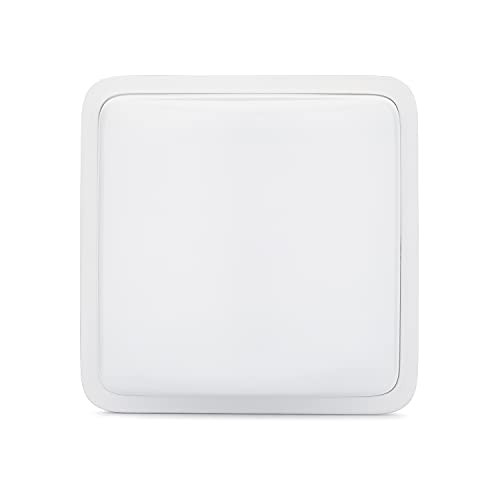
Wyze Motion Sensor
Best value motion sensor for the Wyze ecosystem.
Pros
- Extremely affordable price point
- Long 2-year battery life
- Fast, reliable detection triggers
Cons
- Requires Wyze Bridge hub
- No built-in temperature sensor
Who is the Wyze Motion Sensor for?
This sensor is designed for homeowners and renters who want to add basic motion detection to their smart home setup without spending a lot. It works best as a trigger for Wyze lights, cameras, and outlets. If you already own a Wyze Bridge (included with Wyze Sense or some Wyze Cam v3 bundles), this sensor is a cheap way to expand your automation. It is not for users who need a standalone sensor with Z-Wave or Zigbee compatibility outside the Wyze ecosystem.
Performance and Detection Reliability
Based on aggregated owner reviews from Amazon and Wyze forums, the sensor consistently detects human movement up to 25-30 feet. The 120-degree field of view is adequate for covering doorways, hallways, and room corners. Users report a trigger delay of less than 2 seconds when paired with a Wyze Bulb or Wyze Plug, which is fast for the price.
False triggers from pets are a common concern. The sensor uses a standard PIR element, and while Wyze does not offer a pet immunity setting in the app, many owners report that small pets (under 30 lbs) do not cause false alerts if the sensor is mounted 5-7 feet high and angled slightly downward. Larger dogs may trigger it, so placement is key.
Build Quality and Design
The sensor is housed in a compact white plastic shell. It feels lightweight but sturdy enough for indoor use. The included adhesive mount sticks well to walls and door frames, though some owners recommend using the included screw mount for permanent placement. The CR123A battery is easy to replace, and the sensor reports battery level in the Wyze app. There is no weatherproofing, so it is strictly for indoor use.
Setup and Integration
Setup takes about 5 minutes. You pair the sensor to the Wyze Bridge by holding a button and scanning a QR code in the app. The app then lets you create rules like "turn on Wyze Plug when motion detected" or "start recording on Wyze Cam." The sensor also works with Alexa and Google Assistant routines, but only if you have the Wyze Bridge connected. Without the bridge, the sensor is non-functional.
Alternatives to Consider
For users not in the Wyze ecosystem, the Ring Motion Sensor (Gen 2) works with Ring Alarm and offers pet immunity up to 50 lbs. The Philips Hue Motion Sensor is pricier but integrates directly with Hue lights without a separate bridge. For Z-Wave systems, the Zooz Z-Wave Plus 4-in-1 Sensor adds temperature and humidity sensing. However, none match the Wyze sensor's price-to-performance ratio for Wyze users.
FAQs
Does the Wyze Motion Sensor work without a subscription?
Yes, the sensor works fully without any subscription. All motion detection and automation rules are free in the Wyze app.
Can I use the Wyze Motion Sensor outdoors?
No, the sensor is not weatherproof and should only be used indoors. Exposure to rain or humidity will damage it.
How far can the sensor detect motion?
The rated detection range is 30 feet. Most users report reliable detection up to 25-28 feet in real-world conditions.
Does it require a hub or bridge?
Yes, the Wyze Motion Sensor requires the Wyze Bridge (sold separately or included with Wyze Sense kits) to function.
What battery does it use and how long does it last?
It uses a CR123A battery, which Wyze rates for up to 2 years of typical use. The app shows the remaining battery level.
Can it trigger Wyze Cam recording?
Yes, you can set rules in the Wyze app to start recording on a Wyze Cam when motion is detected by the sensor.
Is it compatible with Alexa or Google Home?
Yes, it works with Alexa and Google Assistant routines, but only through the Wyze skill and with the Bridge connected.
Does it have pet immunity?
There is no official pet immunity setting. Owners report that small pets usually do not trigger it if the sensor is mounted high.
What is the field of view?
The sensor has a 120-degree field of view, which covers a wide area from a corner or wall mount.
Can I use multiple sensors in one home?
Yes, the Wyze Bridge supports up to 100 sensors, so you can cover multiple rooms or entry points.
Does it work with Wyze Lock?
Yes, the sensor can trigger the Wyze Lock to auto-lock or unlock when motion is detected, though this requires careful placement.
How do I mount the sensor?
It comes with an adhesive strip and a screw mount. The adhesive works on smooth surfaces, while the screw mount is more secure.
Our verdict
The Wyze Motion Sensor is the best overall value for anyone in the Wyze ecosystem. It offers reliable detection, long battery life, and easy automation at a price that beats every competitor. For users outside the Wyze world, consider the Ring Motion Sensor or Philips Hue sensor instead.